

Pick the right trusted traveler program
Choosing the correct Trusted Traveler Program depends on where you travel most. Global Entry, TSA PreCheck, NEXUS, and SENTRI serve different needs. Selecting the wrong one wastes time and money.
The U.S. Customs and Border Protection website lists these risk-based programs to help pre-approved travelers move faster through security and customs. Start by identifying your primary travel pattern.

Compare costs and coverage
Use the table below to compare the four main programs. Global Entry includes TSA PreCheck, making it the best value for international travelers. NEXUS and SENTRI are region-specific.
| Program | Cost | Coverage | Best For |
|---|---|---|---|
| Global Entry | $100 | U.S. Customs + TSA PreCheck | International travelers |
| TSA PreCheck | $78 | U.S. Security Only | Domestic flyers |
| NEXUS | $50 | U.S./Canada Borders + PreCheck | Frequent Canada travelers |
| SENTRI | $122 | U.S./Mexico Borders | Frequent Mexico travelers |
Create your DHS login and start application
The Trusted Traveler Programs (TTP) portal requires a secure identity verification before you can submit any application. You cannot use a generic email address to bypass this step; the system mandates a verified account through Login.gov, the federal government’s single sign-on service. This ensures that your personal data is protected before you begin the Global Entry application process.
Set up your Login.gov account
Navigate to the Login.gov help page for Trusted Traveler Programs to begin the account creation process. You will need a valid email address and a phone number capable of receiving two-factor authentication codes. The system will walk you through identity verification, which may involve uploading a photo of your government-issued ID and taking a selfie. This step is mandatory and can take several minutes to complete, so ensure you are in a well-lit environment.
Log in and start a new application
Once your Login.gov account is active, return to the Trusted Traveler Programs website and sign in. Select the option to start a new application. You will be prompted to choose your program—Global Entry, NEXUS, SENTRI, or FAST. Enter the required personal information exactly as it appears on your passport or driver’s license. Any discrepancy between your application data and your official documents can lead to delays or rejection.
Visit the Login.gov Trusted Traveler Programs help page to verify your identity. You will need a valid email and phone number for two-factor authentication. Follow the prompts to upload your ID and complete the selfie check. This step secures your account before you enter personal data.
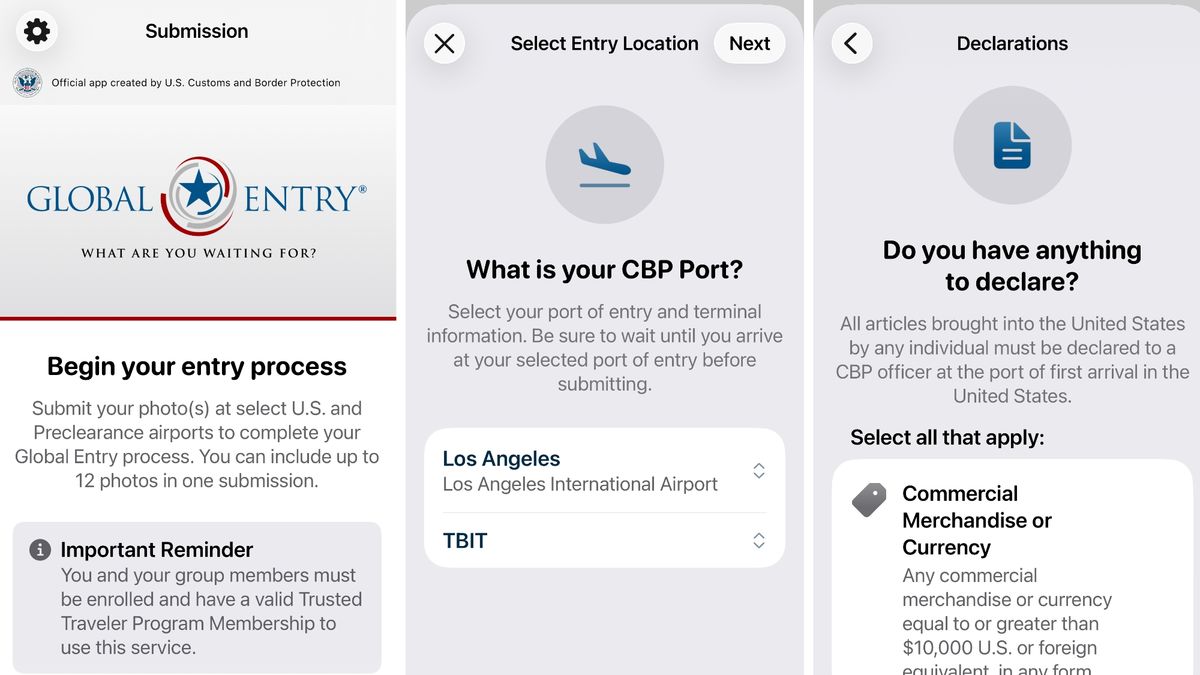
After logging in, choose "Start a New Application." Select Global Entry from the list of trusted traveler programs. The system will guide you through the initial data entry phase, requiring your full legal name, date of birth, and citizenship information.
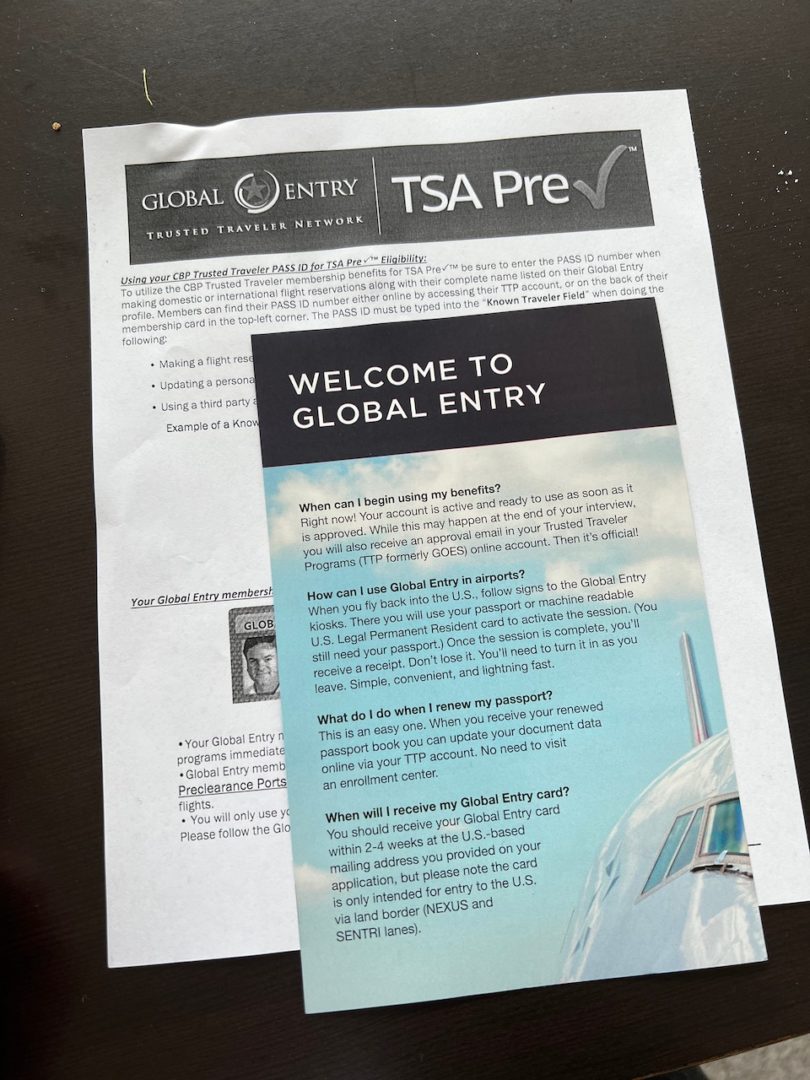
Input your information exactly as it appears on your passport. Mismatches in spelling or dates can cause significant delays. Review each field carefully before saving. You can save your progress and return later, but ensure all required fields are completed before final submission.
After completing the initial data entry, you will need to upload supporting documents, such as a photo of your passport, and pay the non-refundable application fee. The system will then schedule your conditional approval and interview appointment. Keep your application number safe, as you will need it to check your status or schedule your interview.
Schedule your enrollment appointment
Finding an available slot is the most unpredictable part of the Global Entry process. After your conditional approval, you must book an in-person interview to finalize your enrollment. While the application fee is non-refundable, the wait time for these appointments varies wildly by location and season.
The first step is logging into your Trusted Traveler Programs (TTP) account. Navigate to the "Appointments" tab and select "Schedule or Change Appointment." You will see a calendar view of available dates at nearby enrollment centers. If no dates appear, the system will allow you to join a waitlist.
Use waitlists and refresh frequently
Most major airports have long queues for Global Entry interviews. When you schedule your appointment, always opt into the waitlist for your preferred location. Officers often cancel slots due to last-minute conflicts, and these openings are released back into the pool in real time.
Check your account early in the morning or late at night. Many applicants report finding openings shortly after midnight when the system resets daily availability. If you are flexible, search for smaller airports within a two-hour drive. They often have shorter wait times and fewer applicants competing for slots.
Consider Enrollment on Arrival
If you cannot find a suitable date before your next trip, use Enrollment on Arrival. This option allows you to complete your interview at designated international airports upon returning to the United States. You must have a confirmed international flight arriving at a participating port.
To use this, look for the "Enrollment on Arrival" kiosk or desk in the customs area. Bring your passport and your conditional approval letter. An officer will conduct a brief interview on the spot. If approved, you will receive your Global Entry number immediately. This is the most reliable way to bypass the scheduling backlog.
plan around the interview and biometric scan
The Global Entry interview is the final hurdle. It is short, usually lasting 10 to 15 minutes, and designed to verify your identity and eligibility. Knowing what happens next reduces anxiety and ensures you leave with your card.
1. Check in at the Enrollment Center
Arrive a few minutes early. Look for the Enrollment Center kiosk or sign-in desk. Bring your required documents: a valid passport and one additional form of ID, such as a driver's license or birth certificate. If you are a U.S. citizen, a passport card or enhanced driver's license also works. Keep these documents handy in a single folder so you can present them quickly when asked.
2. Biometric collection
The officer will take your fingerprints and photograph you. This process is automated or handled by staff at a dedicated station. It is quick and routine. The biometric data is cross-referenced with federal databases to confirm your identity and check for any security flags. Ensure your hands are clean and free of jewelry that might interfere with fingerprint scanning.
3. The brief interview
The officer will ask a few standard questions to confirm your application details. They may ask about your travel history, employment, or any criminal history declared in your application. Be honest and concise. If you have any pending legal issues or recent arrests, disclose them now rather than waiting. The officer is verifying the information you already provided online.
4. Receive your card
If approved, the officer will hand you your Global Entry card. You can also opt to receive it by mail if you prefer not to wait. Your Known Traveler Number (KTN) is immediately active in the system, so you can use TSA PreCheck on your next flight even before the physical card arrives. Check your Global Entry account online to confirm your status is updated.
Present your valid passport and secondary ID at the enrollment center desk. Keep them in a single folder for quick access.

Provide fingerprints and a digital photo. Ensure hands are clean and jewelry is removed to speed up the process.

Briefly confirm your application details. Answer honestly and concisely about travel history and legal status.
Receive your physical card or opt for mail delivery. Your KTN is active immediately for TSA PreCheck.
Common Application Mistakes to Avoid
A small error on your Trusted Traveler Programs application can trigger a manual review that takes months. The most frequent cause of delay is an incomplete employment history. CBP expects a full record of your work experience for the past five years. Do not leave gaps, even for short-term contracts, freelance work, or unpaid internships. If you were unemployed during a specific period, mark it explicitly as "unemployed" rather than skipping the entry.
Another common pitfall is mismatched passport numbers. The number you enter must match your current passport exactly. If you have renewed your passport since you last traveled, ensure you are using the new number. A discrepancy here suggests identity confusion and will halt your approval process until you submit a corrected form.
Review your resume and tax records to ensure every job from the last five years is listed. Include start and end dates for each position.
Open your current passport and type the number exactly as it appears. Do not rely on an old passport number or a driver's license.
After submitting, monitor your email for status updates. Approval can take weeks or months, so apply well before your next trip.
Finally, many applicants forget to list all travel to foreign countries. You must report every trip, regardless of how short or distant. Omitting a visit to a neighboring country can look like an attempt to hide your travel habits. Honesty is the only way to ensure a smooth approval.
Use your Global Entry number for travel
Your Global Entry approval isn't just a digital badge; it’s a tool you activate by attaching your Known Traveler Number (KTN) to your flight profile. Think of the KTN as a key that unlocks expedited lanes at security and fast-track processing at customs. Without it attached to your reservation, you are just another passenger in the general queue.
Add the number to your airline profile
Log in to your frequent flyer account on the airline’s website or mobile app. Navigate to the profile or personal information section and locate the field labeled "Known Traveler Number," "TSA PreCheck Number," or "Global Entry Number." Enter the nine-digit number from your approval letter. This step ensures the airline’s system tags your reservation for expedited screening before you even reach the airport.
Verify the indicator on your boarding pass
After adding the KTN, book a flight or modify an existing reservation. Check your boarding pass—either digital or printed—for the TSA PreCheck indicator. This usually appears as a code like "TSA PRE✓" or a specific alphanumeric code depending on the airline. If the indicator is missing, contact the airline immediately. The system may take up to 72 hours to sync, but it should appear on most domestic bookings.
Use the Global Entry kiosk upon arrival
When you land in the United States, do not join the standard passport control line. Look for the Global Entry kiosks, typically located in the customs hall near the exit. Follow the on-screen prompts: scan your passport or U.S. permanent resident card, place your fingerprints on the scanner, and complete the customs declaration. The kiosk prints a receipt, which you hand to a customs officer to complete your entry. This process usually takes less than two minutes.
Final verification checklist
Before your next trip, run through this quick list to ensure your KTN is active:
-
KTN added to your airline profile
-
TSA PreCheck indicator visible on boarding pass
-
Global Entry kiosk route known at arrival airport
-
Passport ready for kiosk scan
Log in to your airline’s website or app. Go to your personal profile and enter your nine-digit Known Traveler Number in the designated field. Save the changes to ensure your next booking inherits the number.
After booking, review your boarding pass for the TSA PreCheck indicator. If it’s missing, contact the airline before you arrive at the airport to correct the record.
Upon arrival in the U.S., proceed to the Global Entry kiosks. Scan your passport, place your fingerprints, and print your receipt to show the customs officer.
Frequently asked questions about trusted travel
How much does Global Entry cost?
The application fee is $100, which covers the five-year membership period for any of the five Trusted Traveler Programs. This single payment includes Global Entry, TSA PreCheck®, NEXUS, SENTRI, and FAST. While some premium credit cards offer statement credits for this fee, the government does not offer refunds if your application is denied or if you choose not to complete the interview.
Can I add family members to my application?
No. Each applicant, including children, must have their own separate Global Entry application and pay the $100 fee individually. However, children under 18 can use a parent’s Global Entry membership at the kiosks if the parent is present and the child is a U.S. citizen or lawful permanent resident. Applicants under 18 must also have parental consent to apply.
When and how should I renew my membership?
You can begin the renewal process up to 12 months before your current membership expires. Renewal is done entirely online through the Trusted Traveler Programs (TTP) website and typically takes less than five minutes. Unlike new applications, renewals usually do not require a new interview unless there have been significant changes to your personal information or background.
Do I need a new application for TSA PreCheck?
No. If you have Global Entry, you are automatically eligible for TSA PreCheck on your Known Traveler Number (KTN). You do not need to apply separately or pay an additional fee for TSA PreCheck. Your KTN will appear on your boarding pass for domestic flights, granting you access to the expedited security lanes.
No comments yet. Be the first to share your thoughts!